01The job
A parts marketplace is all about data. One part number can have dozens of suppliers, each with its own stock and price breaks, plus specs, trade compliance, change notices and manufacturer details.
Every page had to hold all of that and still be quick to scan, on a big monitor and on a phone. And because the site runs inside a Java app, the front end had to fit the templates the back-end team was building, not the other way round.
02Search on every page
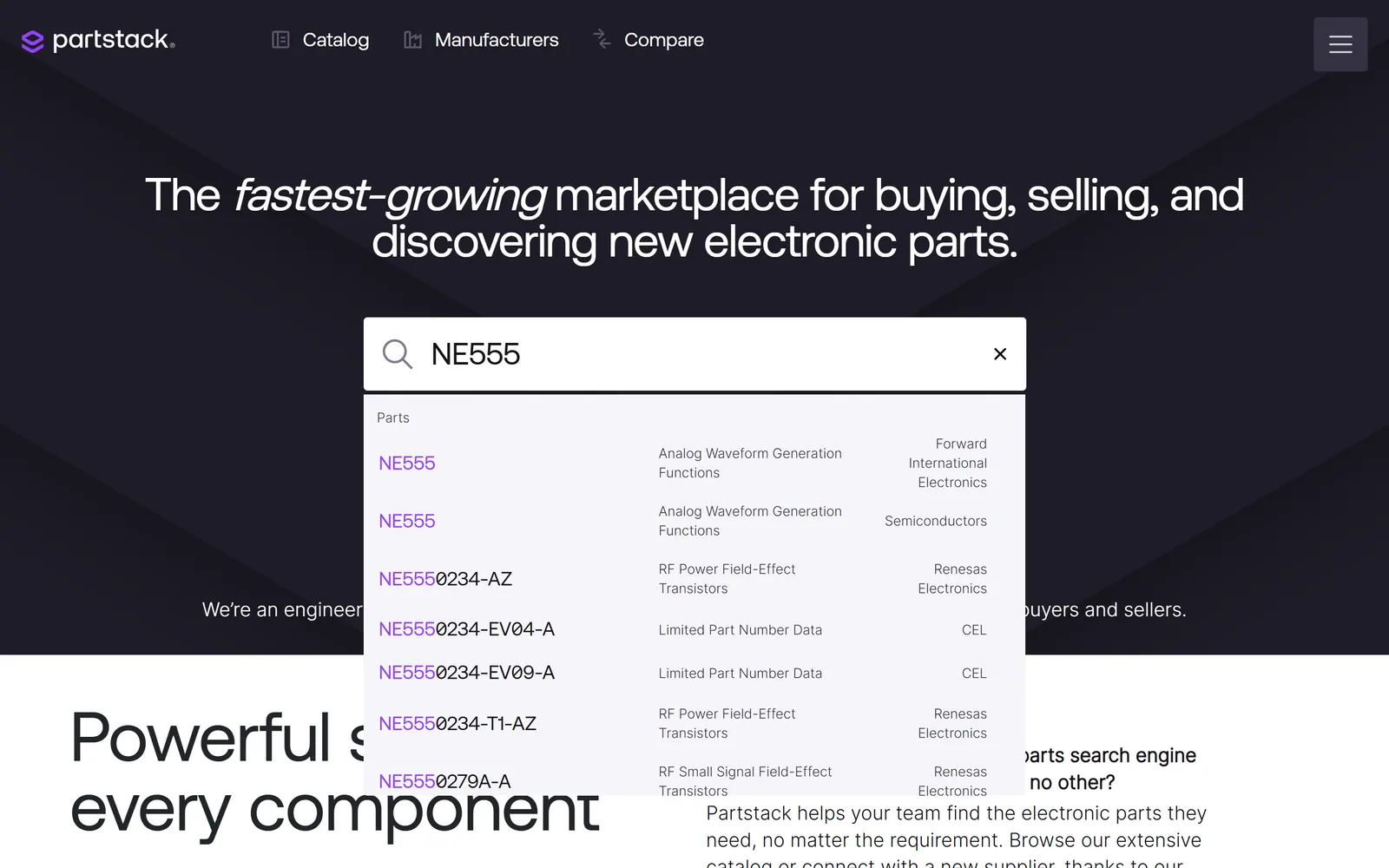
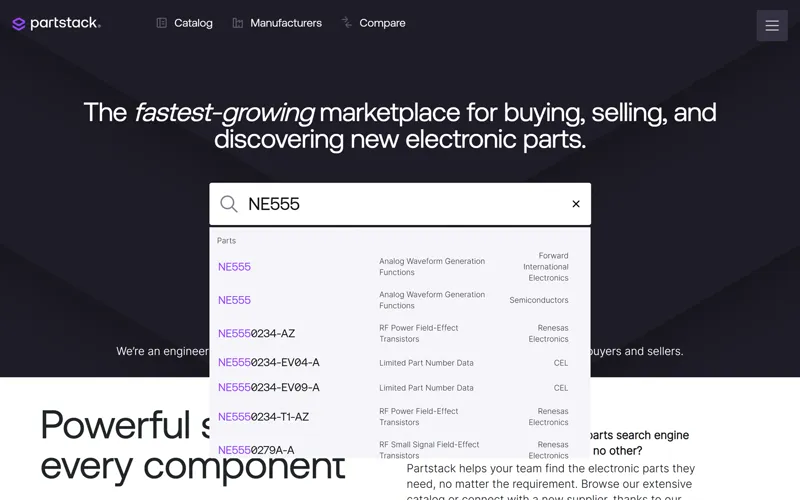
The part-number search sits in the header of every page. As you type, suggestions appear with the letters you typed highlighted inside each part number, so the right one stands out at a glance.
03The part page, the hardest part
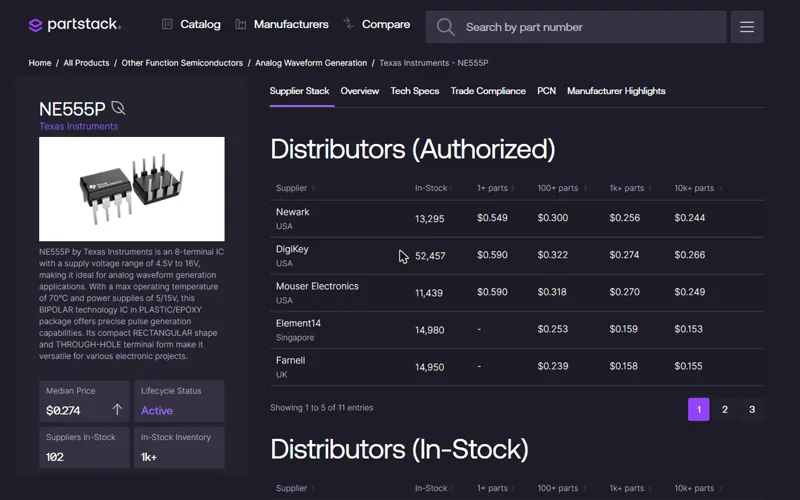
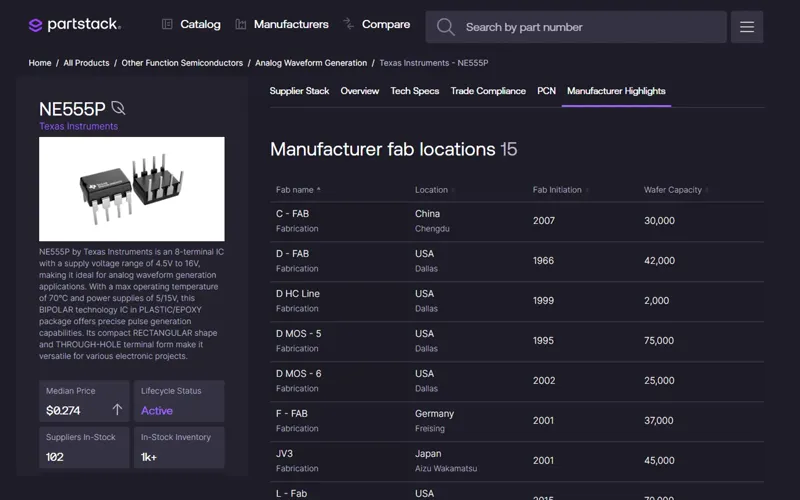
Every part has its own page, and it's the heart of the site. It's a very long page, about 11,000 pixels tall, or more than ten screens of scrolling on a laptop: a supplier stack of authorised and in-stock distributors, then the overview, tech specs, trade compliance, PCN notices and manufacturer highlights.
- Every supplier table sorts by any column and pages through long lists.
- Hovering a supplier row shows an Order button, so the tables stay calm until you need them.
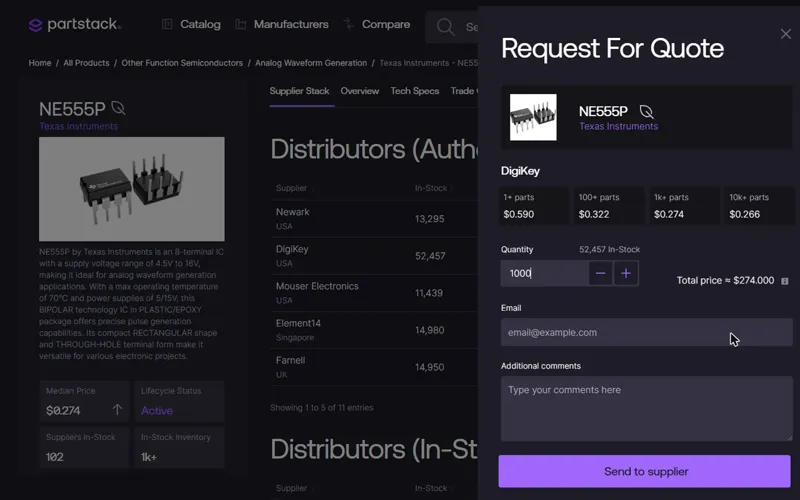
- A request-for-quote drawer shows the part's price breaks. Type 1,000 parts and it picks the 1k price.
- A sticky section menu follows you down the page and underlines the section you're reading.
This is the page I'm proudest of: I wrote every line of it myself.
04Catalog and manufacturers
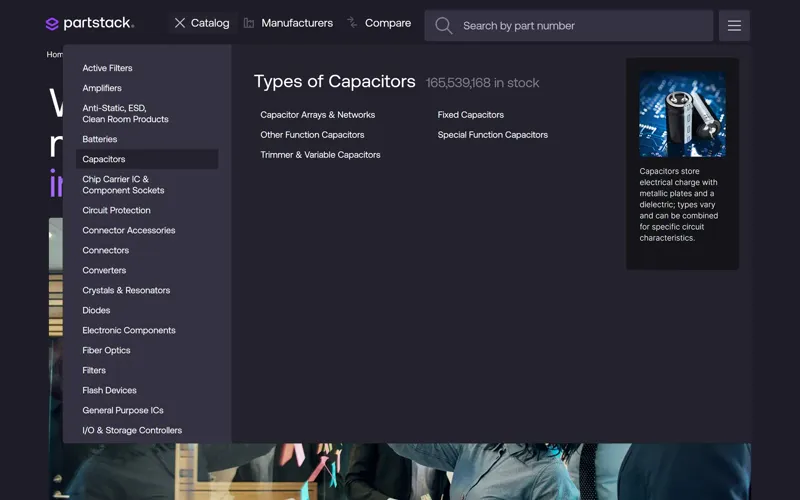
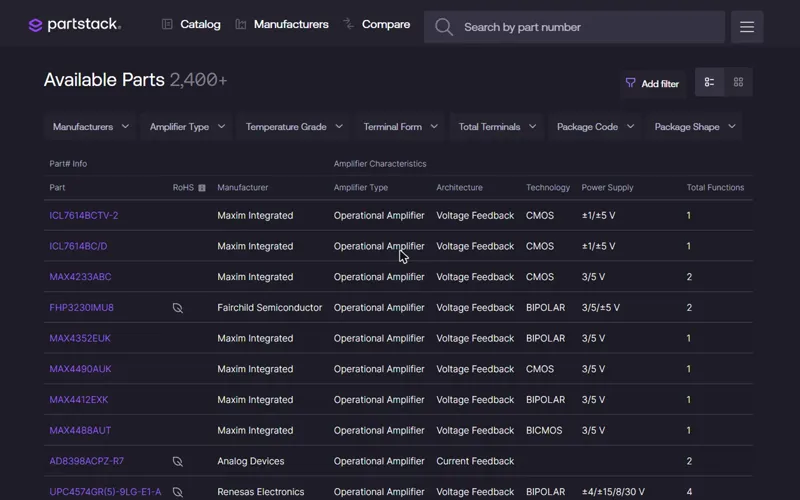
Mega menus for the catalog and manufacturers swap in subcategories and a picture as you hover. On the long catalog list, an A–Z rail stays on the letter you clicked. Category pages show parts as a table or a grid, with searchable multi-select filters.
05Tools for buyers
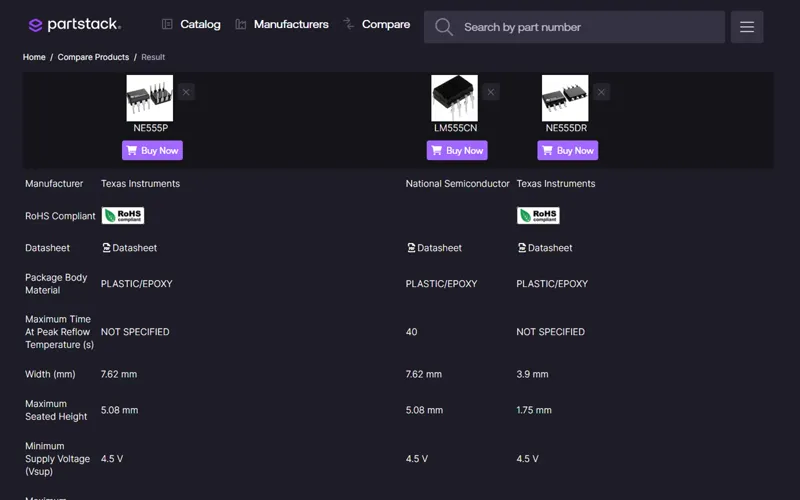
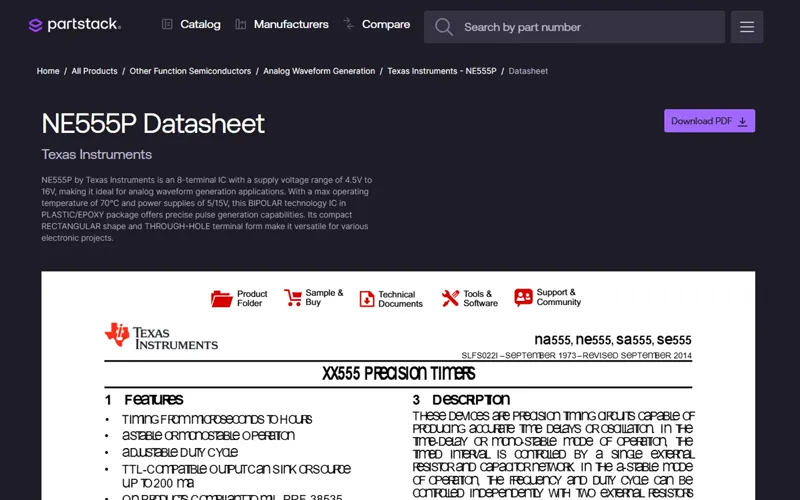
Buyers can compare up to five parts side by side, share any result by email or link, and read a part's PDF datasheet inside the page. PDF.js draws the PDF; I built the viewer page around it.
06Content, forms and email
Around the catalog sit the pages that build trust: About, FAQ, guides on spotting counterfeit parts, a four-step form for reporting one, and a custom 404 page.
I also designed and coded Partstack's email newsletters: one dark, on-brand template and six design variations of the same campaign.
Email designs · tap to enlarge
07How we worked
Partstack is a Java app, built by a back-end team. Instead of handing them plain HTML files to copy over, I opened the project in Spring Tool Suite and coded my pages straight into its Thymeleaf templates, the HTML files the app fills with data.
The back-end developers then connected those templates to the data, and handled deployment and server tuning.
All screens · tap to enlarge